Copart Testimonials & Reviews
How to Buy Vehicles for Auction on Copart.com
Visit Copart.com/Register to get started. Need an introduction to Copart auto auctions? Start here! Founded in 1982 with a single salvage yard in California, Copart has grown into a global leader and...
Step 1 of 3 | How to Register and Sign Up for Used Vehicles
Sign Up & Register https://www.Copart.com/Register
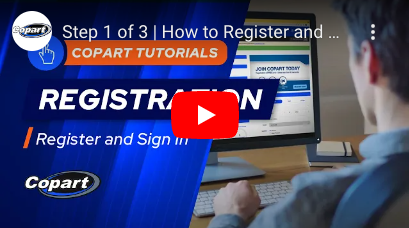
Welcome to Copart's new registration and sign in process. Thinking of buying used, wholesale or repairable vehicles? Copart is a global leader in online auto auctions with more than 350,000 vehicles for sale every day. Getting started is simple. Just click on the Registration button on Copart.com to start the three-step process. First, fill in some basic information and choose the membership type that fits your needs.
Basic Members buy a few vehicles a year, usually for personal use or projects. Premier Members by several vehicles a month, which requires a $400 deposit and gives you the most buying power. Consult the quick guide and pick the membership type that fits your needs. Next, select your payment type, add your billing address and submit payment. Fill in a few more details, such as physical address, the kinds of vehicles you want to buy, and states you want to bid and buy in. You'll either be able to buy directly, or you will need to work with a Broker who has the proper credentials to purchase vehicles on your behalf. Then upload your government issued ID. If you're a business, you'll also need to upload specific licenses and documents. Visit Copart.com/licensing for more information on the proper license and documentation requirements. Once your documents are approved and your deposits made, you're ready to start bidding and winning. Start your Copart experience today at https://www.Copart.com/Register
Step 2 of 3 | How to Become a Copart Member and Buy Vehicles
Join Copart Today! https://www.Copart.com/Register
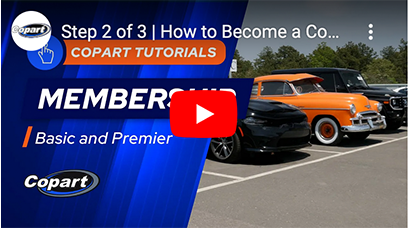
Congratulations on starting the Copart registration process! Once you submit your information, you’ve created a Guest Membership. In this step, it’s important to decide what Membership level is right for you. To start bidding in our auctions, you must choose between a Basic or Premier Membership. Our Basic Membership allows you to start bidding on vehicles, and, lets you bid up to $2,000 without a deposit. Otherwise, you’ll need to deposit 10 percent of the total amount you want to bid.
For example, a $30,000 bid would require a $3,000 deposit. Our Basic Membership also unlocks some other benefits to help you make the most of your auction experience, including access to saved searches, the ability to view multiple auctions at the same time, and more. Premier Membership is chosen by most Copart buyers. It includes all Basic Member benefits plus lets you bid up to one hundred thousand dollars daily with a refundable $400 dollar deposit, due at Registration. Premier Members also enjoy priority Member Services phone support and a list of other benefits. Premier Membership reduces the amount of time spent adding deposits. Once you’ve decided whether you want a Basic or Premier Membership, enter your payment information and billing address. Then, you’re ready to move onto the next step, where you’ll upload your license and required documents. You’re almost ready to bid on a vehicle. Complete the Registration process to begin your Copart journey. Join Copart today! https://www.Copart.com/Register
Step 3 of 3 | How to Upload Licenses and Documents to my Account
Join Copart Today! https://www.Copart.com/Register
Now that you’ve chosen and paid for your Membership, you will need to submit a government-issued photo ID, such as a driver’s license, resident card or passport. This is an essential step toward determining your bidding eligibility. Since every state has its own licensing laws, we’ve created a license assistance engine to make things simple. To start bidding and winning, we’ll walk you through the documents you’ll need to upload.
We recommend uploading a limited Power of Attorney. This makes it easier to get your title. Business buyers also need to submit the Multi-State Exemption and Affidavit of Purchase forms along with applicable business documents. Simply click Attach Files/Choose file to upload each document separately. You’ll need to select the correct document type, country and state, as well as supply a license number and expiration date if applicable. Once all your documents are attached, click submit to finish your registration. Allow one to two business days for our Member Services team to review your licenses. Once approved, you’ll be able to start bidding. If there are any issues with your documents, we’ll reach out to you via email and ask you to resubmit them before jumping into an auction. If you don’t have the required licenses or documents to bid in your state, don’t worry, Copart will connect you with a Broker who has the required credentials to help purchase your vehicle. Thanks for registering, and welcome to Copart! https://www.Copart.com/Register
How to Buy Auction Vehicles In Your State | Copart Auto Auctions
How do you purchase auction vehicles? How do you qualify to buy auction vehicles in with your state's laws? This video tells you how. Visit https://www.copart.com/licensing to learn more. Does your state require a business license? If your state doesn't let you bid and you don't have a Business License, find a Broker.
You don't have to be an expert on state licensing in order to bid and buy at Copart. We make it easy. As the premier online auto auction destination for Members around the world, we strive to make sure you have the right information before entering an auction. Knowing your state's licensing laws is a crucial part of the buying process. Some states restrict who can bid on wholesale and salvage cars, while others welcome all types of buyers. For example, if you wanted to purchase a vehicle located in Maine, you need either a Business License in order to bid, or the assistance of a broker. You can view each state's licensing laws on our Help With Licensing page. Simply click on the name of the state to view the licensing requirements. If you are eligible to bid, you can jump right into the auctions. Does your state require a business license? Upload your documents through the Account drop down menu, then select upload documents. If your state doesn't let you bid on vehicles and you don't have a Business License, don't worry, you can still bid by using a third-party broker. You can see a list of recommended brokers under the services tab in the navigation bar. Visit Copart.com/Licensing to learn more about licensing requirements in each state. Then you'll be ready to start bidding! https://www.copart.com/licensing
How to Search For Your Next Car at Copart
Find your next car at Copart! https://www.copart.com/search
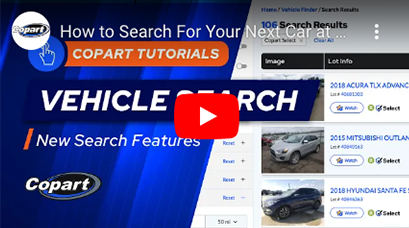
Copart recently made our search results pages easier and more intuitive so you can find what you need quickly. Search results now have bigger pictures and an easier-to-read layout. We’ve added easier-to-use filters with more options. You can filter search results by a range of model year, odometer reading, and more detailed categories of damage. You can filter search results by zip code or a specific distance around zip code. You can also access featured searches like Copart Select, Buy It Now or Electric Vehicles from the top left of the page, and saved searches at the top right.
Find a Copart Location Near You
Copart Auto Auctions: We’ve made our locations pages even more informative with our newest update. Information about a Copart location’s upcoming and live Copart auctions. Search for Copart locations by city and state. More information about licensing and state-level regulations. New recommendations of vehicles and Copart locations near you. Easier access to information on our international Copart Lounges. https://www.copart.com/locations
Get Arbitration Protection When You Buy Copart Select Auction Vehicles!
Visit us online: https//www.Copart.com/Select
Sign up for a Copart Membership: https//www.Copart.com/Register Arbitration has arrived to Copart. Our new arbitration policy protects you while purchasing a Copart Select Wholesale car, truck or SUV. If what you buy online isn't what you receive, we will protect you.
We've also added Sale Lights, so you can view the general condition of a vehicle at a glance, including what the arbitration policy covers. These Sale Lights protect, guide and inform you as part of our new arbitration policy. We want you to bid and win the vehicles you need with the assurance this brings to our wholesale vehicle auction. We're also adding more Copart Select vehicles and more information to our free condition reports, including damage codes. Shop our entire Copart Select inventory and learn more, including important terms and conditions, at https//www.Copart.com/select
Billing and Payment
Visit us online: https://bit.ly/copartupgrades
Copart payment options | Copart financing | Copart invoicing | Copart fees and payment
At Copart, we’ve made it even easier to pay for vehicles and services, keep track of finances, and get vehicles to your business.
In this short video, we will walk you through some of the highlights of new and enhanced features. On the payments page, you can access unpaid invoices, purchased lots, balances due, and get a refund, if eligible. You can also add deposits for more bidding power. You can now pay for your vehicles using Apple Pay, Google Pay, PayPal, digitally enhanced wire transfers, mobile payments & more. You can assign multiple vehicles to transporters or request shipping right from the payments screen. You can now View up to two years of invoices, payments & deposits with a variety of search filters. We're excited for you to experience these convenient new payment features. https://bit.ly/copartupgrade
Payment and Pickup
https://wwww.copart.com/payment
Register to bid on vehicles HERE: https://www.copart.com/doRegistration
You've just won a vehicle, what's next? First, you'll need to make a payment within three business days including the day of sale to avoid any issues collecting your vehicle.
Copart accepts several payment options, including money orders, cashier's checks, wire transfers and credit and debit card payments. Remember that payment should include any applicable fees, including storage fees or sales tax. Once you've paid in full, you can schedule a pickup through the Copart Transportation App. During normal business hours, please have your member number and lot numbers ready when you arrive at the Copart location. Need assistance transporting your vehicle? Use the delivery quote tool on the Lot Details page. Simply enter the destination zip code to get a real-time estimate on transportation costs. To see if transportation is available on the vehicle you've won, visit the Payments Due page immediately following the sale. If shipping is not available to your area, we suggest exploring other third-party providers or contacting a Copart representative for assistance. Visit Copart.com for more helpful information on bidding winning and picking up your vehicle. Copart offers a variety of ways for Members to pay for vehicles, fees and other related services. We strongly encourage you to use electronic payment methods, since payments made at Copart facilities may be subject to surcharges and long wait times. Make your payments and pick up vehicles promptly to avoid late fees and vehicle storage fees. Rates may vary by location. You can find storage fees for specific locations on our Locations Pages. Your payment options will depend on what type of buyer you are and where you are located. The chart below spells out where different payment options can be used. https://www.copart.com/payment
Vehicle Delivery
Learn more HERE: https://www.copart.com/delivery
Register HERE: https://www.copart.com/register
Copart delivers vehicles to your business or home. Just go to the Payments Due page and check the Vehicle Pickup/Delivery column. Click on the Delivery estimate, and then accept it. If this is your first time using Copart Delivery, you’ll be asked to fill in your address. Then just pay delivery when you pay for your vehicles, fees and services. Your vehicle should be delivered within a few business days. Whatever kind of vehicles you need, Copart is your single source solution.
Deposits
How to buy auction cars from Copart? To purchase Copart auction vehicles, add a deposit! This video shows you the step by step process for adding money so you can buy from Copart Auto Auctions. To buy from Copart, Register HERE: https://www.copart.com/doRegistration
Wire Transfers
https://www.copart.com/member-payments
We recommend wire transfers as a payment method for Copart's international Members and some of our American members find it convenient too.
To pay by wire transfer, go to the payments due page select the box to the left of the vehicles you want to pay for. Then click the pay invoice button on the lower right on the checkout screen, select wire transfer as your method of payment. This is a good time to download the wire transfer instructions. Click continue to next step and fill in your name, email, bank name and the amount you are paying. The next step is very important, click generate your reference number. Be sure to record the reference number, you can download the wire transfer notification form on this screen which you may need later. Remember, the wire transfer isn't complete until you contact your bank and ask them to wire the funds to the account information on your screen and on the wire transfer instructions. If your payment doesn't post within 24 hours, download and fill out the wire transfer notification form and email it to Buyer@Copart.com. Be sure to include the reference number for this payment and your Copart Member number. You can find your Member number by clicking on your name in the upper right, and then account settings. Contact your bank for any specific rules they have for completing your wire transfer. If you run into any problems, get in touch with Member Services for help. https://www.copart.com/member-payments
Credit Card Payments
https://www.copart.com/member-payments
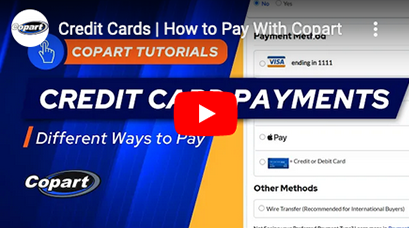
To pay with a new credit or debit card, go to payments tab, check the box next to the cars you want to put on the card. On the next screen, select credit card or debit card and input your card information. Make sure all the information is correct, select review, and check your vehicles and payment methods one last time. Then select confirm and pay. When you see success on the screen, your payment is complete. For your convenience, we'll keep your credit card information on file for future use.
Get Arbitration Protection When You Buy Copart Select Auction Vehicles!
Visit us online: https//www.Copart.com/Select
Sign up for a Copart Membership: https//www.Copart.com/Register Arbitration has arrived to Copart. Our new arbitration policy protects you while purchasing a Copart Select Wholesale car, truck or SUV. If what you buy online isn't what you receive, we will protect you.
We've also added Sale Lights, so you can view the general condition of a vehicle at a glance, including what the arbitration policy covers. These Sale Lights protect, guide and inform you as part of our new arbitration policy. We want you to bid and win the vehicles you need with the assurance this brings to our wholesale vehicle auction. We're also adding more Copart Select vehicles and more information to our free condition reports, including damage codes. Shop our entire Copart Select inventory and learn more, including important terms and conditions, at https//www.Copart.com/select
Mail Your Vehicle Titles | Copart Auto Auctions
Copart has simplified the vehicle titling process as another convenient way to buy auction vehicles. In this video, we will show you how to upload a Power of Attorney and receive vehicle titles directly through the mail.
First, log into your Copart account. If you go have a Power of Attorney on file, you can find it under your Account Settings and then click on Shipping and Documents to download and submit the form. Before you can receive your title in the mail, Copart must verify and process your Power of Attorney. After your Power of Attorney is processed, you can mail your title. First, navigate to the Payments Due page. Your Title Status must show Title Ready to be Picked Up in order to mail your title. Pick the vehicles you've won, select the Mail Title button, then confirm or change the address. Finally, place your order. You can pay to mail your titles just like you would for any vehicle or service. To have your titles automatically mailed, click on your Account Settings in the upper right hand corner. Select the Shipping and Documents tab and then scroll down to the Delivery and Title Mailing Preferences. Click on the toggle button to enable the Automatically Mail Titles option. Once completed, you can also choose a preferred shipping service. If you would like to request a one time address change for your title, select your vehicle and click on the Mail Title button. Choose or add the new address. Once completed, click on the Submit Change Request button. This vehicle's title will be the only change and all other titles will be sent to the address on file. One time address changes like this are common among exporters. Getting your vehicle titles in the mail is another convenient way to make Copart your single source solution.