
New Member Guide
The Basics of Buying Cars in Copart's Online Auctions

Copart provides a single source auto solution for our Members with many different membership levels, ways to buy, payment methods, delivery options and additional services. This guide will teach you the basics so you can get started quickly.
Find more detailed articles and videos, and ask questions, at Help Center.
Register
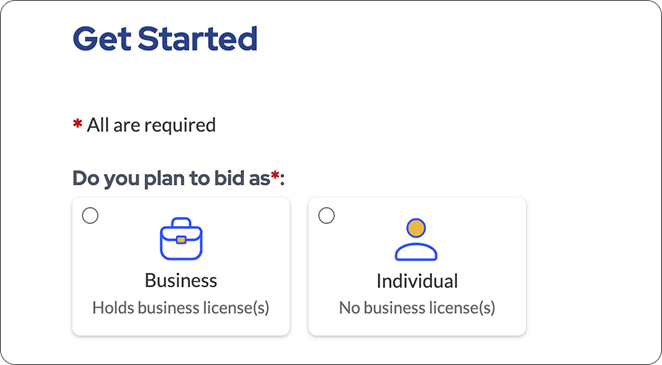
Register as a Business or an Individual
Business: You hold state licenses, like a dealer, dismantler, or exporter, and buy for business purposes.
Individual: You have no professional licenses and buy for yourself.
In this case, your vehicle selection will be limited, and you will only be able to purchase vehicles listed in the "No License Required" category. If you do not have a license, you can also use a Broker, who can purchase any vehicle on your behalf and arrange its delivery to your location.
Buy Without A License Options
Use a Broker – These third-party professionals have the necessary credentials to bid.
Search for No License Required – This type of vehicle doesn’t require a license to buy.
Choose Membership Level
Guest
(Free)
- Shop 350,000+ Vehicles Daily
- Get Vehicle Alerts & Save Searches
Basic
($99)
- Buys 1 to 3 cars per year
- Place up to $2,000 in bids, or deposit 10% of total of all bids placed
- Bid on up to 5 vehicles a day
Premier
($249)
- Buys 3+ vehicles per year
- Bid up to $100,000 daily with $400 deposit
- Bid on an unlimited number of vehicles a day
All deposits are refundable if the account had no open bids or invoices. Refunds downgrade Premier memberships to Guest.
Upload Required Documents
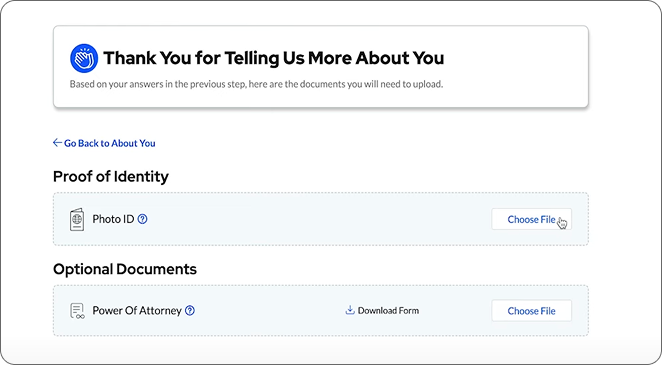
The documents you’ll need to upload to bid on a vehicle depend on the laws of the state where the automobile is located.
- Government-Issued ID
- Dealer License
- Salvage Certificate
- Limited Power of Attorney
- State-specific documents may be necessary
Our team will review your documents and activate your account or contact you with further instructions.
Find Vehicles
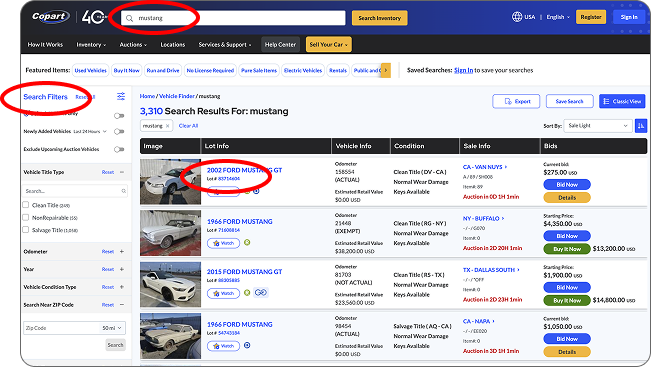
- Use the search field at the top of all pages
- Use the Vehicle Finder tool to filter by make, model, year, damage, title type, distance from you and more
- Click on a search result to go to the Vehicle Details Page
Vehicle Details
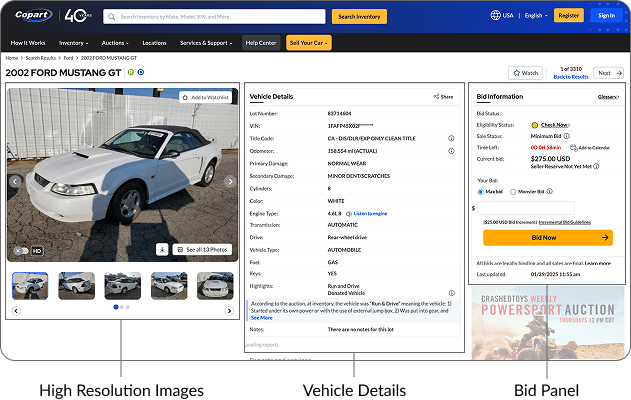
Learn more about a vehicle, bidding, calculate fees, and review domestic and international shipping estimates
High Resolution Images
See 10 to 12 photos from angles that cover 360 o degrees of the car.
Vehicle Details
Find information including Vehicle Identification Number (for logged in Members), title type (Clean or Salvage), and an overview of any damage. Highlights & Notes disclose additional information.
Bid Panel
View the current high bid, time left to bid, and your eligibility to bid on the vehicle.
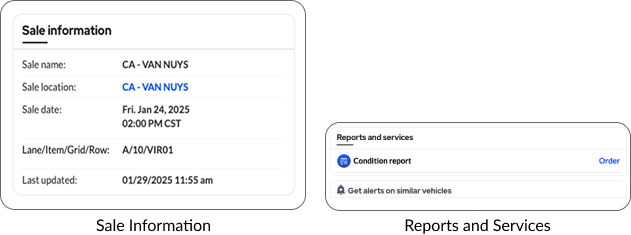
Reports & Services
Order condition reports and professional third-party inspections.
Free Condition Reports – Included with Copart Select and vehicles from rental, finance and fleet sellers.
Sale Information
View the name, location, and date of the sale, along with the specific spot where the vehicle can be found at the Copart facility.
Closer Look
To get an in-depth look at a vehicle before bidding on it:
- Go to the Copart Location to look yourself
- Buy a Condition or Inspection Report (Free on Copart Select vehicles)
- Hire a Third-Party Inspector
A bid is a legally binding offer to buy the vehicle at that price.
Be sure you want it before you bid on it.
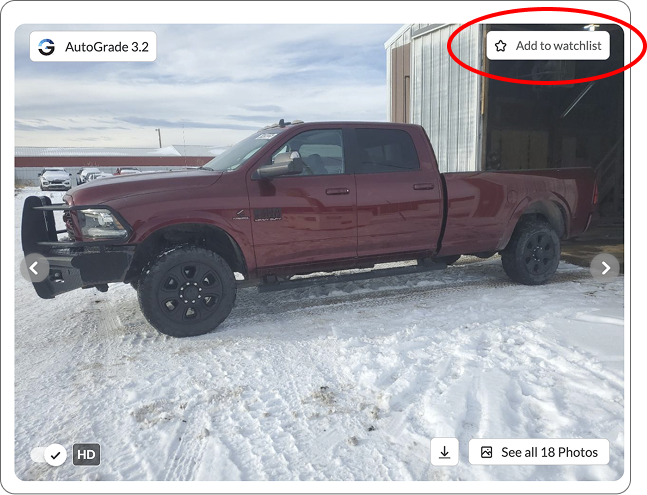
Watch Vehicles for Updates
Add a vehicle to your Watchlist to keep track of its status. You’ll see the lot number, sales date, and current pre-auction bids for the vehicles you’ve added on your dashboard when you log in.
We’ll also notify you of any changes and when the vehicle is about to come up in our live auction. You can choose to be notified by emails, text messages, or push notifications in the Preferences Center.
Ways To Bid and Buy
- Join a Live Auction – Competitively bid in real time, all online
- Place a Max Bid – Set your top price and our system will incrementally bid for you up to that amount
- Buy It Now – Pay the asking price for a vehicle before the auction
- Make An Offer – Propose your own price to the seller and negotiate
Spotlight Auctions
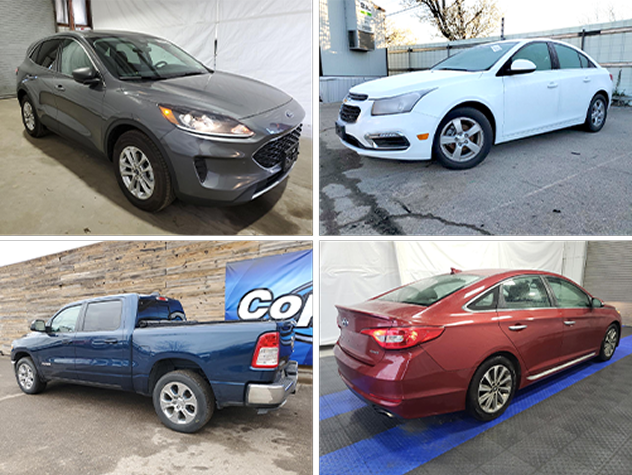
These national auctions feature specific inventory types so Members can buy them all in one place.
Copart Wholesale AuctionsVehicles from fleet and finance companies that are ready for dealer inventory and other uses. All vehicles include Sale Lights.
Copart Rental Car AuctionsLate-model former rental cars, with various levels of damage.
Copart Specialty Vehicle AuctionsHeavy duty trucks, trailers, semis, construction & farm equipment, RVs.
Copart Night Cap SalesVehicles that didn’t sell during the day’s auctions.
Pay for Vehicles
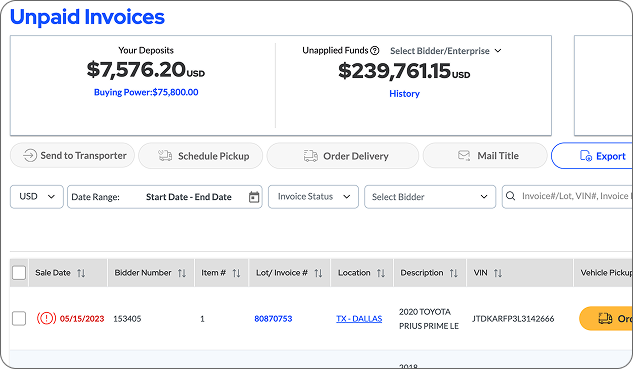
Go to the “Payments Due” tab. Select the vehicle(s) you want to pay for, choose a payment method, and proceed with checkout. You can use different methods to pay for different vehicles.
Use Payment Options including credit & debit cards, ePay and wallet apps.
Pay for Fees & Services
Fees Vary Based On:
- What kind of license you hold
- If you bought the vehicle in or outside of an auction
- If you used a secure or insecure payment method
- If the vehicle has a salvage or clean title
*Must be logged in.
Get Your Vehicles
Choose from several ways to take possession of your vehicle(s).
Use Copart Delivery — Go to the Payments Due page and select Order Delivery. You’ll find it in two convenient places, next to each vehicle in the list of auctions you’ve won and near the top of the page.
Send a Transporter — Select the vehicles you want picked up by a third-party shipping service on the Payments Due page, then choose “Send to Transporter.”
Enter your transporter’s email address the first time you send them to get your vehicle(s). They’ll be emailed instructions on how to schedule a pickup appointment and check in upon arrival.
Pick It Up Yourself — Select the vehicles you want to pick up with a trailer or other proper transportation equipment on the Payments Due page, then select “Schedule Pickup.”
You’ll receive an email with instructions on how to check in and pick up your vehicle(s), and a link to reschedule your appointment if needed.
*Vehicles cannot be driven off Copart locations for legal and safety reasons.
Get Your Titles
Choose how you want to acquire your vehicle title(s):
Picked Up — We charge a $20 per-title processing fee if you pick up the title at the facility where the vehicle is stored, have your transporter pick it up, or have it sent with Copart Delivered.
Shipped — Select the vehicles whose titles you want shipped on the Payments Due page, then choose “Mail Title.” Check your address in the modal box that opens and pick how you want your title(s) shipped:
US Postal Service: $15 Per Title
FedEx: $20 Per Title
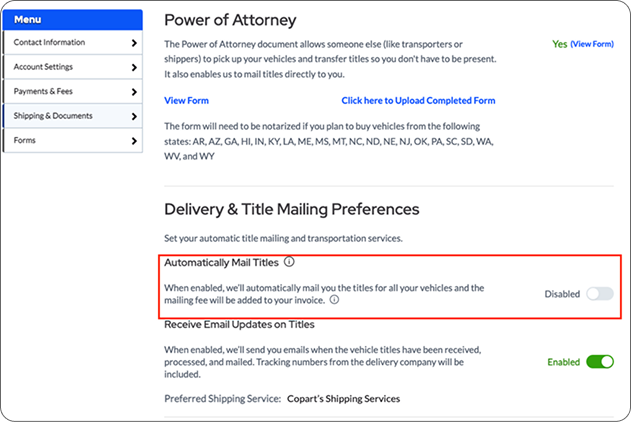
Check the box at the bottom to have your titles mailed to you automatically and the shipping price added to your other fees at checkout.
Order bulk title shipping if you buy multiple vehicles from the same Copart location.
USPS: $15 for 10 Titles
FedEx: $20 for 10 Titles
NOTE: Unless you pick up the title yourself, you need to upload a Limited Power of Attorney.
Helpful Links
To learn more about everything Copart offers, visit our Help Center. Or browse our videos and tutorials to become a Copart expert.